Changelog

Follow new updates and improvements to Cal Track.

August 18th, 2026

New

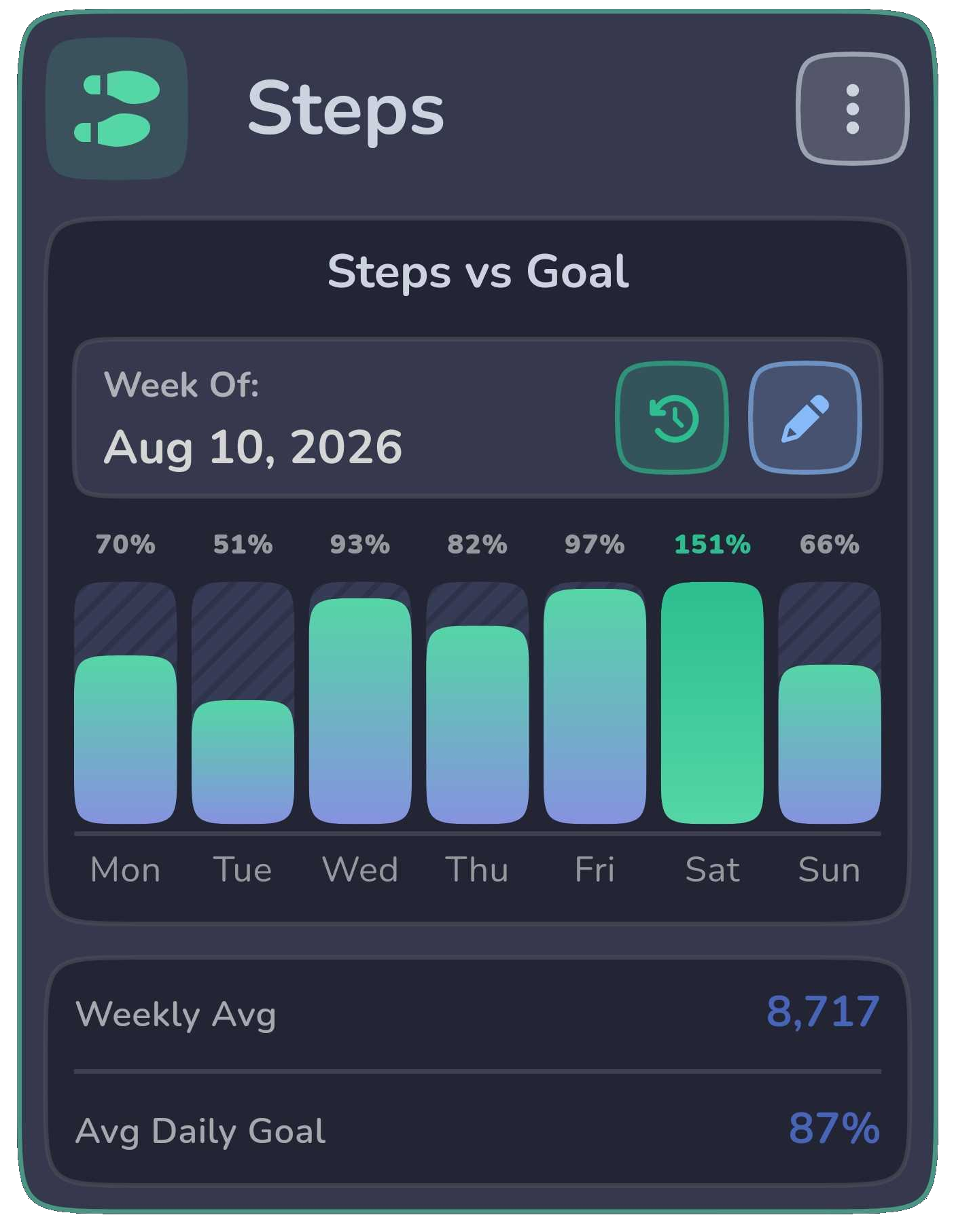
Premium users can now track Steps Progress alongside Nutrition, Weight, Activity, and Water.

New step charts make it easier to see how your daily movement is trending, including Steps vs Goal, Average Steps, and Step Goal Hit Rate.

Steps Progress uses step data imported through Apple Health or Health Connect, giving you a clearer picture of how consistently you’re reaching your movement goals over time.

August 16th, 2026

New

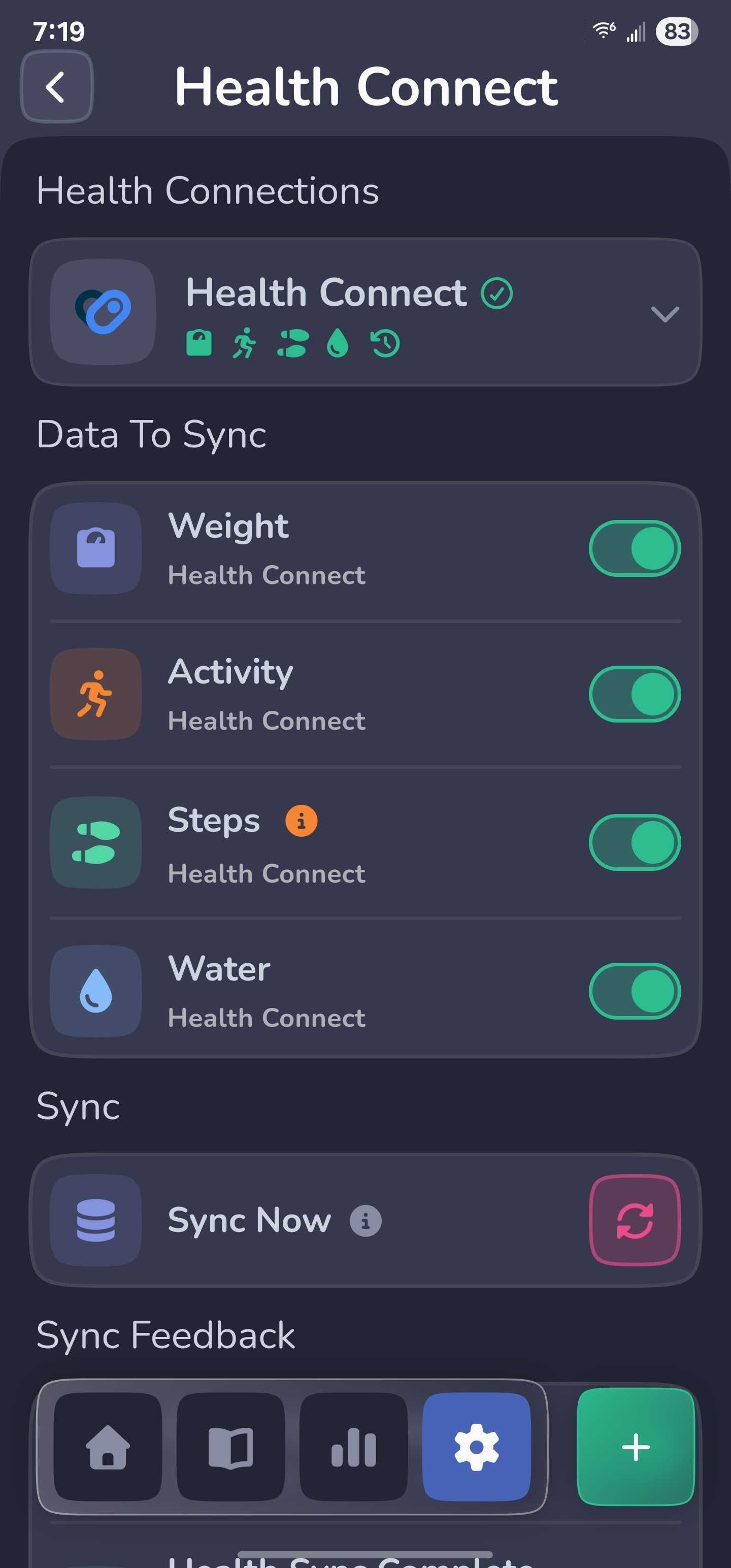
Cal Track can now connect with Apple Health on iOS and Health Connect on Android.

You can import supported health data such as weight and activity information into Cal Track, making it easier to keep your progress up to date without entering everything manually.

Health syncing is user-controlled, and imported entries are kept separate from your manually logged data.

July 27th, 2026

Improved

Cal Track now does a better job remembering how you chose to log an amount.

If you enter food using Servings, Grams, or Milliliters, that choice is preserved when you reopen the log. The same behavior also carries through Favorites and saved Meals where applicable.

That means less re-selecting and a more consistent logging experience from one entry to the next.

July 11th, 2026

Improved

Nutrition, Water, and Weight now have their own tracker-specific settings menus, so relevant options are easier to find without digging through global settings.

You can jump straight to tracker goals and other local preferences from the page you’re already using, making common adjustments faster and more intuitive.

July 10th, 2026

Improved

The Weight Tracker has been updated to make long-term progress easier to read and explore.

You can now view your history by Days, Weeks, or Months, scroll through longer stretches of data without everything getting compressed, and tap chart points to inspect the weight or average they represent.

The result is a cleaner, more useful view of how your weight is changing over time.

July 6th, 2026

New

Premium users now have a dedicated Progress Hub for seeing how their tracking is trending over time.

The new Progress experience brings together Nutrition, Weight, Activity, and Water insights in one place, along with consistency streaks that help show how regularly you’ve been tracking.

Each tracker includes detailed charts and trends, and you can customize the Progress Hub by reordering cards and choosing which chart appears for each tracker.

Progress charts also support multiple date ranges, interactive data points, and goal comparisons where applicable, making it easier to spot patterns and see how your habits are changing over time.

July 3rd, 2026

Improved

Nutrition Goals are now easier to manage and more flexible.

Guided and custom goals behave more consistently, and Cal Track now handles zero-value goals correctly instead of treating them like no goal was set.

These changes make it easier to fine-tune calorie and macro targets while keeping your existing logged data safe and unchanged.

June 25th, 2026

New

Cal Track can now keep your daily progress visible right from your home screen.

New home screen widgets make it easier to check key nutrition information without opening the app, so your goals and progress are always a quick glance away.

Widgets are available on supported Android and iOS devices.

June 15th, 2026

New

You can now group multiple food entries into a Meal and log them together.

That makes repeat meals much faster to trackβ€”save the foods you usually eat together, then add the whole meal without rebuilding it one item at a time.

It’s a simple way to cut down on repetitive logging while keeping each food entry intact.

June 2nd, 2026

Improved

Water tracking is a little faster and more personal now.

You can now edit the Quick Add amounts shown in the Water Tracker, so your most common drink sizes are always one tap away.

Set them up to match the bottles, cups, or containers you actually use and spend less time adjusting amounts when logging water.